Your Wave.
Your recordings.
Nobody else listening.
waved is open firmware for the Insta360 Wave speakerphone. One Rust program replaces the stock software: no telemetry, meetings that go only where you send them, and a one-script way back to stock.
What changes when you install it
| Stock firmware | waved | |
|---|---|---|
| Telemetry | Sends more than 35 kinds of usage event to ByteDance's DataFinder service, tagged with the Wave's serial number. See the evidence | The stock app and its telemetry library never run. waved asks your time servers for the time, and talks to the webhook and update servers only once you set them. How waved is built |
| Your meetings | Routes meeting audio, transcripts and voiceprints to Insta360's cloud. See the evidence | Recordings stay on the Wave, or go to a webhook you choose, with retries that survive a restart. Recording webhooks |
| Updates | Signed with a 512-bit RSA key, small enough to factor on ordinary hardware. See the evidence | Signed with your own key and served from your own server, with a trial boot and an automatic way back. Tested on the host so far Updates |
| Shell access | Releases up to 1.0.13.6 opened a root shell over telnet, with the password 123456. See the evidence | No network shell. You reach the Wave over USB with ADB, and one script puts stock back. Revert to stock |
What it does
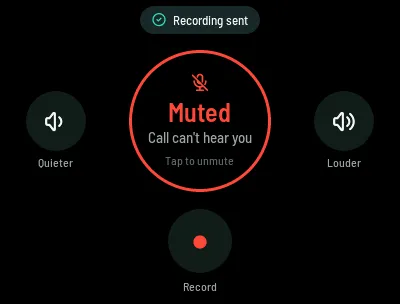
The dial
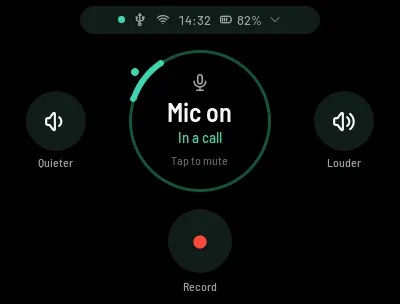
Tap to mute. Quieter and Louder sit at the sides and Record below, and the ring shows where your voice goes.
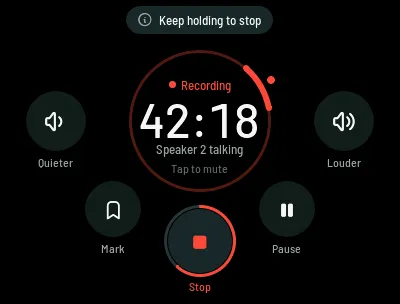
Recording
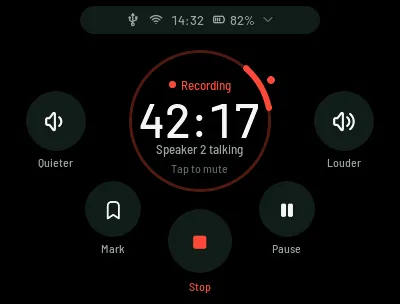
A timer, who is talking, bookmarks and pause. Hold Stop for a second to end it.
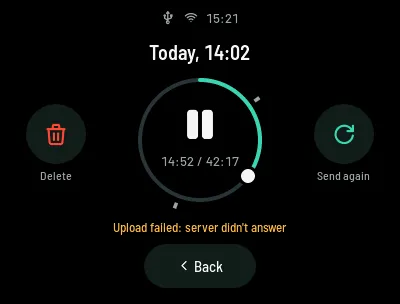
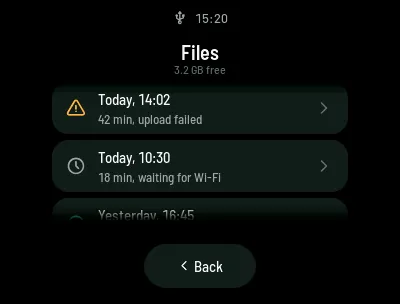
Files
Every recording on the Wave, newest first, with its length and upload state.
Audio modes
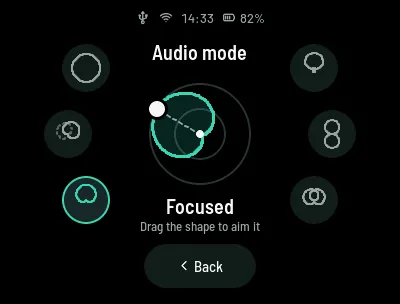
Six ways for the eight microphones to listen, from the whole room to a beam that follows the talker.
Updates
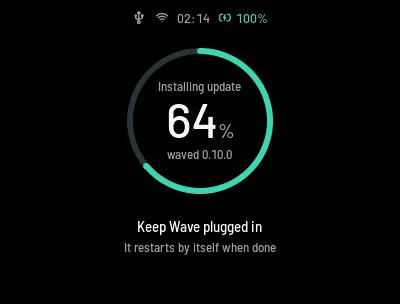
Packages signed with your own key, from your own server. The Wave checks every six hours.
Host-tested so far
A neural network on the Wave's own NPU
Next to its CPU, the Wave has a neural accelerator that the stock software uses for its speech models. Through this project's own native backend, NVIDIA's MarbleNet voice-activity model now runs on it in full, and all 800 of its test decisions match the original model.
A research milestone: it runs on fixed four-second windows, and waved doesn't use it yet.
10.4× faster. Median of 32 paired runs on the same Wave; feature extraction and setup are not included.
Install it in three steps
Turn on ADB
With the Wave on stock firmware and plugged in over USB-C. This lasts until the next reboot, which is all the installer needs.
pip3 install pyusb sudo python3 waved/scripts/enable_adb.pyBuild waved
Needs Rust, Docker and cross. The first build downloads its toolchain image and takes a while.
cd waved WAVED_BUILD_ID=$(git rev-parse --short HEAD) \ cross build --release --target aarch64-unknown-linux-gnu \ --features "ui,capture-alsa" -p wavedInstall and reboot
The installer checks everything before it changes anything, and makes sure ADB comes back after the reboot.
./deploy/install.sh && adb reboot
Requirements, what each step does, and what to do if one fails are in the install guide. Changed your mind? ./deploy/revert.sh && adb reboot puts stock back (how revert works).